


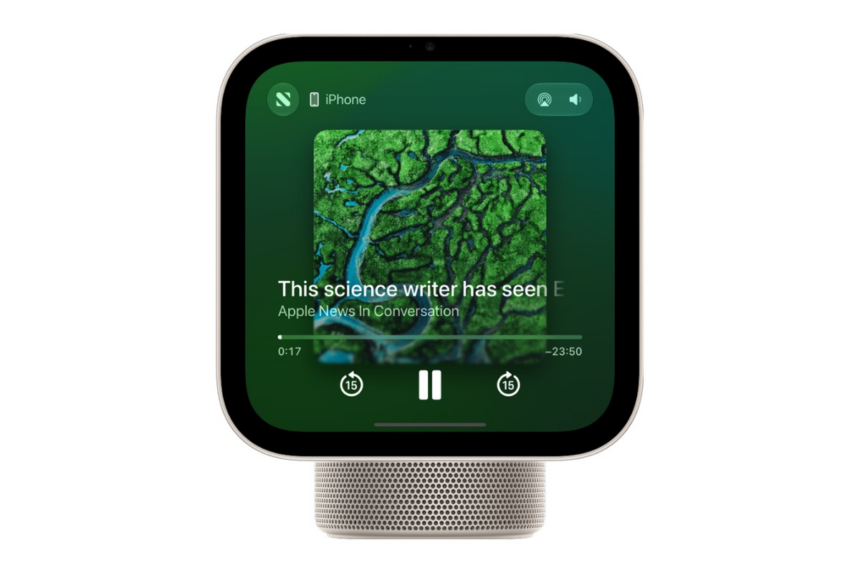
Apple HomeView doesn’t have a conventional App Store, but that doesn’t mean you’re limited to the apps installed on the display. It can also show compatible audio and video apps from a paired iPhone, giving you access to supported streaming services without installing them directly on HomeView.
Apple says HomeView supports compatible third-party audio and video apps from an iPhone. To use one, keep your iPhone available and properly paired with HomeView, then look for the supported app on the display. Whether an app appears depends on the developer providing the necessary compatibility, so not every iPhone app will work automatically. Apple’s HomeView product page explains this approach.
Music and Podcasts are built in, while Apple lists additional experiences including TV, News, Audiobooks and Classical Music as available from an iPhone. Availability may depend on subscriptions, compatible devices and country. Apple’s technical specifications distinguish the built-in apps from those that come from an iPhone.
HomeView can also take over supported music, podcasts and videos through Handoff, making it useful for continuing playback when you move from your phone to the kitchen or living room. But Handoff and app compatibility are separate features, and neither guarantees that every streaming service supports the full HomeView interface.
If a favorite app isn’t listed, first confirm that it supports HomeView and that the paired iPhone is updated. Reinstalling unrelated apps or searching for an App Store on HomeView won’t create compatibility. Read our reporting on HomeView’s lack of a dedicated App Store and our full HomeView overview for more context.
Follow the latest coverage and analysis on all things Apple with The Apple Post app with notifications, offline reading and more. All ad-free.
The Apple Post brings you the latest Apple news, from iPhone leaks, Mac rumors and iOS updates to in-depth analysis, how-tos and guides.
Read the latest coverage and analysis on all things Apple, all ad-free, on your iPhone and iPad with The Apple Post app. Get instant access to every story with The Apple Post+, available as a monthly or annual subscription.

Follow The Apple Post on Apple News for iPhone, iPad and Mac, and add The Apple Post as a preferred source on Google to stay up to date with the latest coverage.
How to use iPhone streaming apps on Apple HomeView – The Apple Post



Leave a Comment